
diados
Extension of the Day

diados

5.0 FREE
  • Screenshot 1

Description

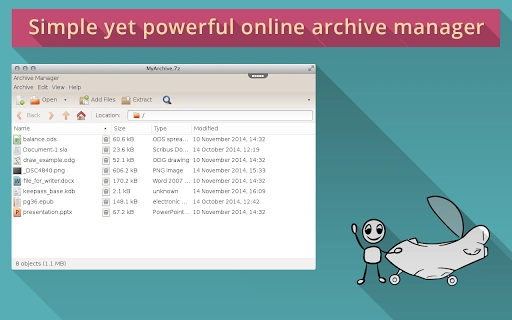
PLEASE NOTE:- Working with files requires creating account with rollApp and connecting cloud storage (Google Drive, Dropbox, OneDrive or Box).- Once signed-up, you get 14-days free trial. After the trial files will be accessible in read-only mode. Please, subscribe for rollApp Premium to be able to save files.File Roller is an archive manager with support for many types of archives including popular ZIP and RAR formats. It allows to view the content of archives, create new and modify existing archives using files in your cloud storage like Google Drive or Dropbox and, naturally, it allows to easily extract files from archives.The archiver supports: .7z, .arj, .cab, .iso, .jar, .rar, .tar.gz, .tgz, .zip and more.

Guides & Tutorials for Archiver on rollApp App for Chrome

How to install Archiver on rollApp App for Chrome
  1. Click the Preview / Download button above.
  2. Once redirected, accept the terms and click Install.
  3. Wait for the Archiver on rollApp App for Chrome download to finish on your device.
How to use Archiver on rollApp App for Chrome

This software is primarily used for its core features described above. Open the app after installation to explore its capabilities.

User Reviews for Archiver on rollApp App for Chrome 0

    No reviews found

Similar Apps


